Design Submission Guide for Foil Stamping Prints

箔押しプリントの正しいデータ例とダメなデータ例

For customers requesting foil stamping, we have compiled some important points to consider when creating your design data. Because foil stamping is a process that uses only black ink, there are limitations to how the data can be created. Please be sure to review these points before submitting your data to ensure a smooth process for artwork verification and production.

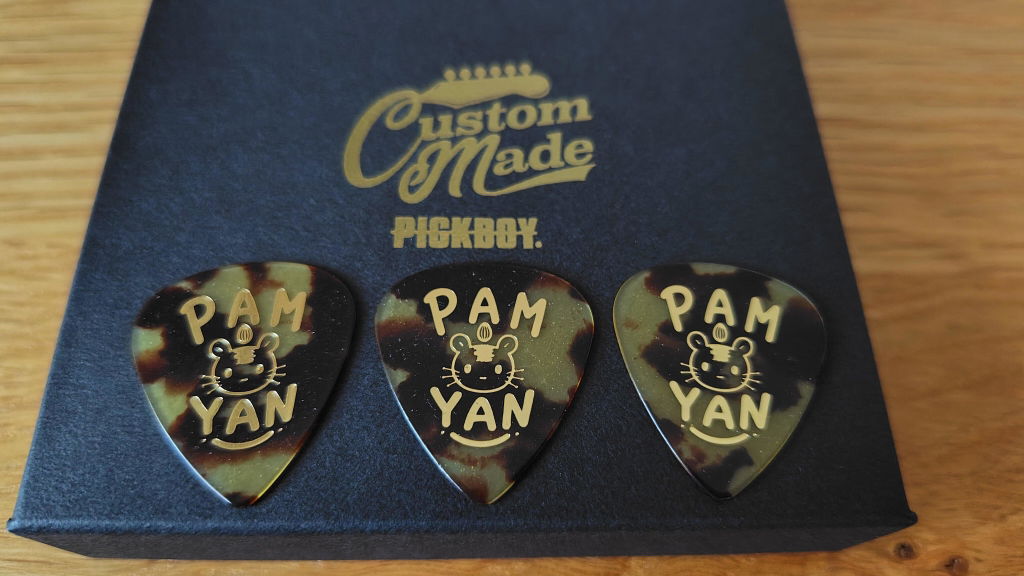
Foil stamping is only available for logos in black (photos and color images cannot be used).

Data usable for foil stamping prints

  • Data created using only black ink.
  • Logos, text, simple illustrations
  • Design with clear lines and fills
  • A clear motif without a background.

Data that cannot be used for foil stamping prints

  • Portrait
  • Color image
  • Data containing gradients
  • Illustrations including pencil drawings and shading.
  • Lines that are too fine or letters that are too small
  • Design expressed through blurring and shading.

Common submission examples

While some customers send us color images or illustrations that closely resemble the final product, these cannot be reproduced with foil stamping. For foil stamping, please provide a design file in black and white, not a colored final product image.

Recommended data size

Please provide an image of at least 1000 x 1000 pixels. If the image is too small, the outline may become blurry, and it may not be possible to create an accurate print-ready file.

Points to note when creating data

  • Please create it using only black ink.
  • Please do not add a background color; only place the necessary images.
  • Please don't make the lines too thin.
  • Please don't make the font too small.
  • Please avoid intricate patterns and complex designs.

Regarding data format

We support AI (outlined), PDF, PSD, PNG, JPG, and other formats. For image data, please provide the clearest possible image.

For those who want to design on their smartphone

You can create your own original guitar pick designs on your smartphone using the free app "ibisPaint X". If you're a first-timer, please also check out the tutorial.

▶ See how to make it on your smartphone

Pre-submission check

  • The data is in black and white.
  • Not a photograph or color image.
  • Larger than 1000 x 1000 pixels
  • The letters and lines are not too small.
  • It only contains the necessary images, not the background.

About submitting design data

■ How to submit

  • Cloud storage (Google Drive / Dropbox, etc.):Please enter the downloadable URL in the comments section when placing your order, or send it to us via email. (Please also include your name and order number.)
  • Send by email:Please attach the design data.pickboy@pickboy.jpPlease send it to [address/email address].
  • Supported file formats:AI (outlined), PDF, PSD, PNG, JPG, etc.

■ Submit hand-drawn designs

You can submit images taken with your smartphone or scanned data. Please ensure they are in black and white with high contrast.

▶ Create custom picks from hand-drawn designs!

■ Submitting your work by mail

158-0096
2-13-3-2F Tamagawadai, Setagaya-ku, Tokyo
To: Nakano Co., Ltd., PICKBOY Custom-Made Pick Department
TEL: 03-6826-1422

Precautions

  • Delivery times and prices may vary depending on the design content and desired specifications.
  • If you wish to use any copyrighted logos or characters, please be sure to obtain permission in advance.

Frequently Asked Questions (FAQ)

What is the minimum order quantity?
Our minimum order quantity is 50 pieces.
Is it possible to change the design after placing an order?
We cannot accept design changes after your order has been confirmed. Please be sure to check your design carefully before submitting it.
What is the delivery time?
After the design is finalized, it usually takes about 3-4 weeks for the item to be shipped.

You can even make picks from handwritten manuscripts!

We can create artwork not only from digital data, but also from handwritten illustrations and text. Please use a smartphone scanning app to create a clear black and white image.

① Manuscript

② Black and white conversion

③ Lower section

④ Completed